
Over the past week, we have made a few updates to Ticketingbox that include the following...
NEW RELATED ORDERS PAGE
Given that many shows over the past year were rescheduled and theaters often had changing attendance requirements, we know many customers have orders that were moved, cancelled, and/or converted to gift cards. And sometimes this happened a few times to a single customer. In these cases, it can sometimes be difficult to understand the chain of orders.
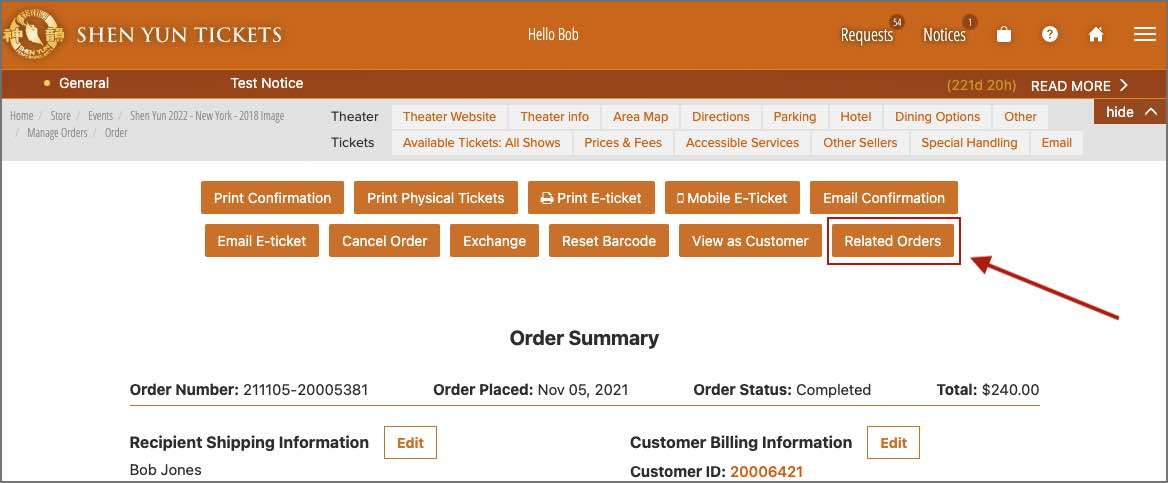
To assist your customer support staff in understanding the full history of a customer's order, we have created a new Related Orders page. You can navigate to the Related Orders page from the Order Summary page...
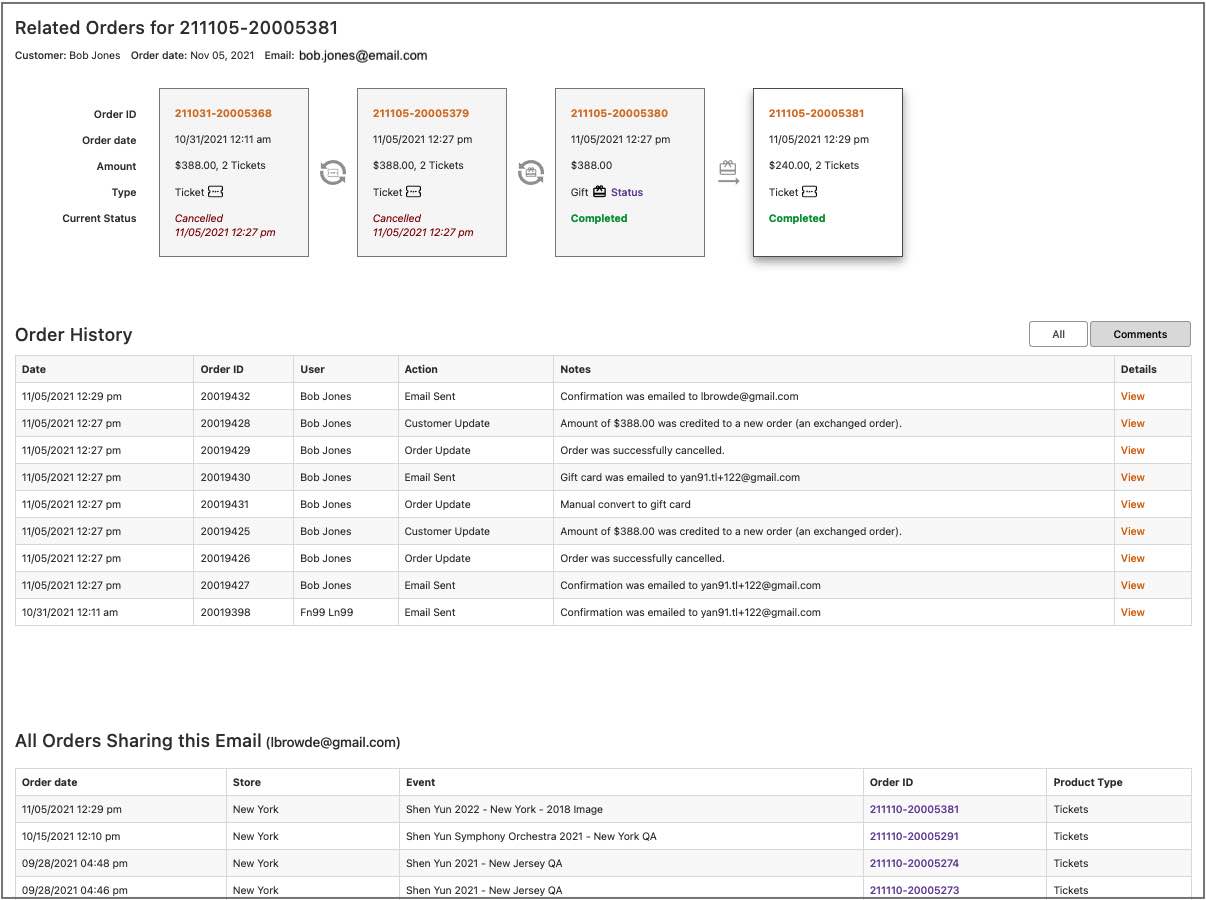
Within the Related Orders page, there are three sections:
(1) Along the top, you can see the full chain of orders related to the current order. The example below shows an order that went through four stages: (a) initial ticket order; (b) exchange of tickets; (c) conversion to gift card; (d) gift card used to buy tickets.
(2) The "Order History" table displays all communication with the customer across the complete chain of orders listed across the top.
(3) The "All Orders Sharing..." table at the bottom shows all orders in Ticketingbox that use this customer's email. Therefore, if the customer placed multiple, independent orders, you'll be able to see those listed here.
MULTI-VALUE SEARCH IN MANAGE ORDERS
In the Manage Orders page, we now support searching for multiple values. You may enter multiple values by separating them with a comma:

FIXED EXTRAPOLATED NUMBERS
In some cases, the Promotion Channel Extrapolated report was displaying incorrect values by erroneously including some exchange orders and/or orders placed with gift cards. This problem has been fixed.
Last updated: August 24, 2022